
TL;DR: Choosing the right all-in-one multifunction printer starts with understanding your office's printing needs, workflow challenges, security requirements, and long-term goals. This guide walks you through the key factors to consider so you can invest in a reliable solution that improves efficiency, controls costs, and supports your business as it grows.
Quick Answer: How do you choose the right all-in-one multifunction printer?
To choose the right all-in-one multifunction printer, evaluate your print volume, workflow needs, security requirements, and budget. The best solution is one that improves productivity, reduces downtime, and supports your business as it grows.
Introduction
If your office is dealing with frequent printer issues, rising printing costs, or inefficient document workflows, choosing the right all-in-one multifunction printer can have a major impact on productivity. By combining printing, copying, scanning, and faxing into a single device, a multifunction printer can help streamline operations, reduce downtime, and simplify document management across your organization.
However, not every multifunction printer is the right fit for every business. Factors such as print volume, security requirements, workflow needs, and long-term operating costs all play a role in finding the best solution. In this guide, we'll walk you through the key considerations to help you choose the right all-in-one multifunction printer for your office.
Choosing the right all-in-one multifunction printer can improve efficiency, reduce downtime, and simplify document management across your organization. Bay Business Technologies helps businesses throughout Rhode Island find reliable office printing solutions tailored to their unique workflow, budget, and long-term goals.
Table of Contents
What Is an All-In-One Multifunction Printer?
Step 1: Evaluate Your Office's Printing and Document Needs
Step 2: Identify the Features That Matter Most
Step 3: Consider Security and Compliance Requirements
Step 4: Think Beyond the Printer and Evaluate Workflow Efficiency
Step 5: Understand the Total Cost of Ownership
Step 6: Decide Whether to Buy or Lease
Common Mistakes Businesses Make When Choosing a Multifunction Printer
How Bay Business Technologies Helps Businesses Choose the Right Solution
What Is an All-In-One Multifunction Printer?
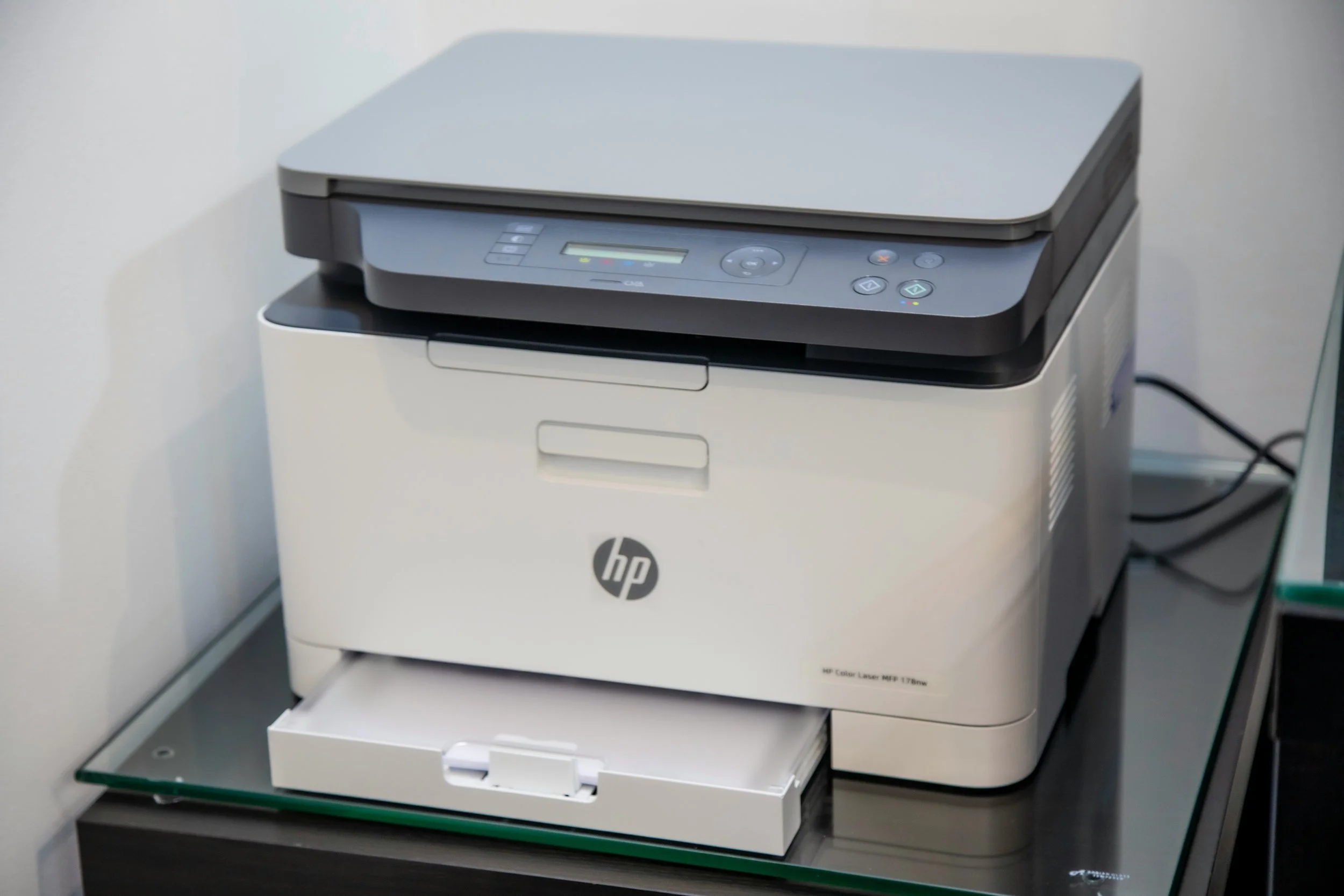
An all-in-one multifunction printer (MFP) is a business device that combines several essential office functions into a single machine. Instead of relying on separate printers, copiers, scanners, and fax machines, organizations can manage their document workflows through one centralized solution.
Most modern multifunction printers allow employees to print, copy, scan, fax, email documents, and connect directly to cloud-based platforms. This not only reduces the amount of equipment needed in the office but also simplifies day-to-day operations and document management.
For many businesses, the biggest advantage of an all-in-one multifunction printer is efficiency. Employees spend less time moving between devices, IT teams have fewer systems to manage, and organizations can often reduce maintenance, supply, and operating costs. As businesses continue to embrace digital workflows and hybrid work environments, multifunction printers have become an important tool for improving productivity while maintaining secure access to critical documents.
However, not every multifunction printer is designed for the same workload. Choosing the right device requires understanding your organization's unique needs, which is where the next step becomes critical.
Step 1: Evaluate Your Office's Printing and Document Needs
Before comparing features or pricing, it's important to understand how your organization will actually use the device. One of the most common mistakes businesses make is choosing a multifunction printer based solely on cost rather than operational requirements.
Start by evaluating your monthly print volume. A small office printing a few hundred pages per month has very different needs than a healthcare practice, school, or multi-department organization producing thousands of documents. You should also consider how many employees will use the device, whether color printing is required, and how often your team scans, copies, or shares documents digitally.
It's also helpful to think about future growth. If your organization is expanding, adding locations, or implementing more digital workflows, selecting a solution that can scale with your needs may help avoid costly upgrades later.
By clearly identifying your current and future requirements, you'll be better positioned to choose a multifunction printer that supports productivity, minimizes downtime, and delivers long-term value for your business.
Step 2: Identify the Features That Matter Most
Once you've assessed your office's needs, the next step is determining which features will have the biggest impact on productivity and workflow efficiency. While many multifunction printers offer similar capabilities, not every feature will be equally important to your organization.
Print speed is often a key consideration, particularly in busy offices where employees rely on quick access to documents throughout the day. Scanning capabilities are equally important for organizations moving toward digital document management, as features like scan-to-email and scan-to-cloud can streamline workflows and reduce manual tasks.
Businesses should also evaluate paper capacity, automatic duplex printing, and mobile connectivity. These features can help reduce interruptions, support remote and hybrid work environments, and improve overall efficiency. For organizations with multiple departments or locations, network integration and user management tools may also be valuable.
Rather than choosing the multifunction printer with the longest list of features, focus on the capabilities that align with your team's daily operations. The right combination of features should make work easier, improve productivity, and support your organization's long-term goals.
Step 3: Consider Security and Compliance Requirements
For many organizations, a multifunction printer is more than just an office device, it's a hub for sensitive business information. Documents containing employee records, financial data, client information, or confidential communications often pass through printers and scanners every day, making security an important part of the decision-making process.
When evaluating an all-in-one multifunction printer, look for features such as user authentication, secure print release, data encryption, and access controls. These capabilities help ensure that sensitive documents are only accessible to authorized users and reduce the risk of information being left unattended in output trays.
Organizations operating in regulated industries such as healthcare, education, government, and professional services should pay particular attention to compliance requirements and document security policies. Choosing a device that supports secure workflows can help protect confidential information while supporting organizational compliance goals.
While security features may not be the first thing buyers consider, they can have a significant impact on risk management and business continuity. As digital workflows continue to evolve, selecting a multifunction printer with strong security capabilities is an investment in both productivity and peace of mind.
Step 4: Think Beyond the Printer and Evaluate Workflow Efficiency
The best all-in-one multifunction printer doesn't just print documents, it helps your team work more efficiently. That's why it's important to evaluate how a device will fit into your organization's overall workflow rather than focusing solely on hardware specifications.
Modern multifunction printers can streamline document processes by allowing employees to scan directly to email, cloud storage platforms, network folders, or document management systems. This reduces manual tasks, improves collaboration, and makes it easier for teams to access information when they need it.
For organizations managing large volumes of paperwork, workflow automation features can also help reduce bottlenecks and improve productivity. Instead of spending time printing, scanning, and manually filing documents, employees can complete tasks more quickly and focus on higher-value work.
When comparing options, consider how the device will integrate with your existing systems and support the way your employees work every day. A multifunction printer that improves document workflows can deliver value far beyond printing, helping your organization save time, reduce frustration, and operate more efficiently.
Step 5: Understand the Total Cost of Ownership
When evaluating an all-in-one multifunction printer, it's important to look beyond the initial purchase price. While upfront costs matter, the true cost of ownership includes supplies, maintenance, service, repairs, and the impact of downtime on your business.
For example, a lower-cost device may seem like a smart investment at first, but frequent maintenance issues, expensive toner replacements, or limited support can quickly increase long-term expenses. On the other hand, a business multifunction printer designed for higher workloads may deliver better reliability, lower operating costs, and a longer lifespan.
It's also important to consider productivity costs. If employees regularly experience delays due to equipment failures, slow print speeds, or inefficient workflows, those lost hours can add up over time. The right multifunction printer should help reduce interruptions while supporting your organization's daily operations.
By evaluating the total cost of ownership rather than focusing solely on price, businesses can make more informed decisions and invest in solutions that provide long-term value, reliability, and operational efficiency.
Step 6: Decide Whether to Buy or Lease
Once you've identified the right all-in-one multifunction printer for your needs, the next decision is how to acquire it. For many businesses, the choice comes down to purchasing the equipment outright or leasing it through a monthly agreement.
Buying may make sense for organizations with available capital and stable printing needs. Ownership provides long-term control over the equipment and can be a good option for businesses planning to use the same device for many years.
Leasing, however, can offer several advantages, including lower upfront costs, predictable monthly payments, access to newer technology, and service agreements that help minimize unexpected expenses. For growing businesses or organizations that want to avoid large capital investments, leasing often provides greater flexibility.
Some businesses also benefit from managed print services, which combine equipment, maintenance, supplies, and ongoing support into a single solution. This approach can simplify print management, reduce downtime, and help organizations better control printing costs.
The right choice ultimately depends on your budget, operational goals, and long-term technology strategy. Evaluating both options can help ensure you're selecting a solution that supports your business today and in the future.
Common Mistakes Businesses Make When Choosing a Multifunction Printer
Choosing the right all-in-one multifunction printer can improve productivity and reduce costs, but making the wrong decision can lead to frustration, downtime, and unexpected expenses. One of the most common mistakes businesses make is focusing solely on upfront cost rather than long-term value. A lower-priced device may not be able to handle your organization's workload, resulting in higher maintenance costs and reduced reliability.
Another common mistake is failing to plan for future growth. As businesses expand, printing volumes, user demands, and workflow requirements often change. Selecting a device that only meets today's needs may require a costly upgrade sooner than expected.
Many organizations also overlook security features and workflow capabilities. While print speed and paper capacity are important, features such as secure printing, scan-to-cloud functionality, and user access controls can have a significant impact on efficiency and risk management.
Finally, businesses often underestimate the importance of service and support. Even the best equipment requires maintenance from time to time. Working with a responsive technology partner can help minimize disruptions and ensure your office continues operating smoothly when issues arise.
How Bay Business Technologies Helps Businesses Choose the Right Solution
Choosing the right all-in-one multifunction printer isn't just about comparing features, it's about finding a solution that supports your organization's workflows, budget, and long-term goals. That's why many businesses choose to work with an experienced office technology partner rather than navigating the process alone.
Since 1985, Bay Business Technologies has helped organizations throughout Rhode Island evaluate office technology needs, improve document workflows, and implement reliable printing solutions. Whether you're replacing outdated equipment, planning for growth, or exploring leasing and managed print services, our team works with you to identify the right fit for your business.
By taking a consultative approach, we help businesses avoid common purchasing mistakes, control costs, and ensure they have the support needed to keep operations running smoothly. The result is a solution designed around your unique requirements, not a one-size-fits-all recommendation.
Conclusion
Choosing the right all-in-one multifunction printer is about more than selecting a device with the most features. The best solution is one that aligns with your organization's print volume, workflow requirements, security needs, budget, and long-term goals.
By evaluating your business needs, prioritizing the right features, considering total cost of ownership, and exploring options like leasing or managed print services, you can make a more informed decision and avoid costly mistakes. A well-chosen multifunction printer can help improve productivity, reduce downtime, streamline document management, and support the continued growth of your organization.
If you're evaluating office printing solutions and need expert guidance, Bay Business Technologies can help you identify the right solution for your unique business needs and ensure you have the support necessary to keep operations running smoothly. Contact us today for a free quote!
FAQs
-
An all-in-one multifunction printer (MFP) combines printing, copying, scanning, and faxing capabilities into a single device. Instead of managing multiple pieces of office equipment, businesses can streamline document workflows, save space, and reduce operating costs with one centralized solution.
-
Start by evaluating your monthly print volume, number of users, workflow requirements, security needs, and budget. The best multifunction printer is one that supports your current operations while providing enough flexibility to accommodate future growth.
-
The right option depends on your organization's financial goals and technology needs. Purchasing provides long-term ownership, while leasing can offer lower upfront costs, predictable monthly payments, access to newer technology, and service support.
-
Key features to consider include print speed, scanning capabilities, mobile and cloud connectivity, automatic duplex printing, security controls, paper capacity, and compatibility with your existing office systems. Focus on the features that will have the greatest impact on your team's productivity.
-
By combining multiple devices into one system, multifunction printers simplify document management and reduce workflow bottlenecks. Features such as scan-to-email, cloud integration, and automated document processes can help employees complete tasks more efficiently and spend less time managing paperwork.
-
Most modern business multifunction printers include advanced security features such as user authentication, secure print release, access controls, and encrypted data transmission. These tools help protect sensitive information and support compliance requirements in industries that handle confidential documents.